Have a question or need guidance? Whether you’re searching for resources or want to connect with an expert, we’ve got you covered. Use the search bar on the right to find what you need.
Data Corruption
Functional Safety
RDMA
SMB Compression
File Systems
Automotive Ethernet
Transparent Failover
Data Platform Providers
Media Production
CRA
Technical preview
Enterprise-grade NFS file sharing for Linux
the fastest nfs for HPC, AI, ML, M&E and medical
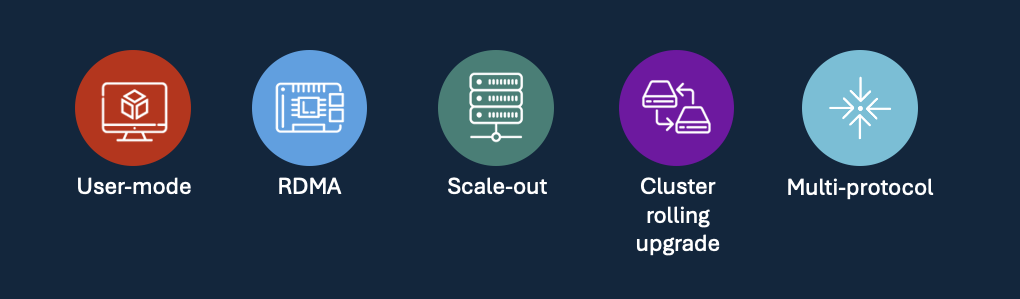
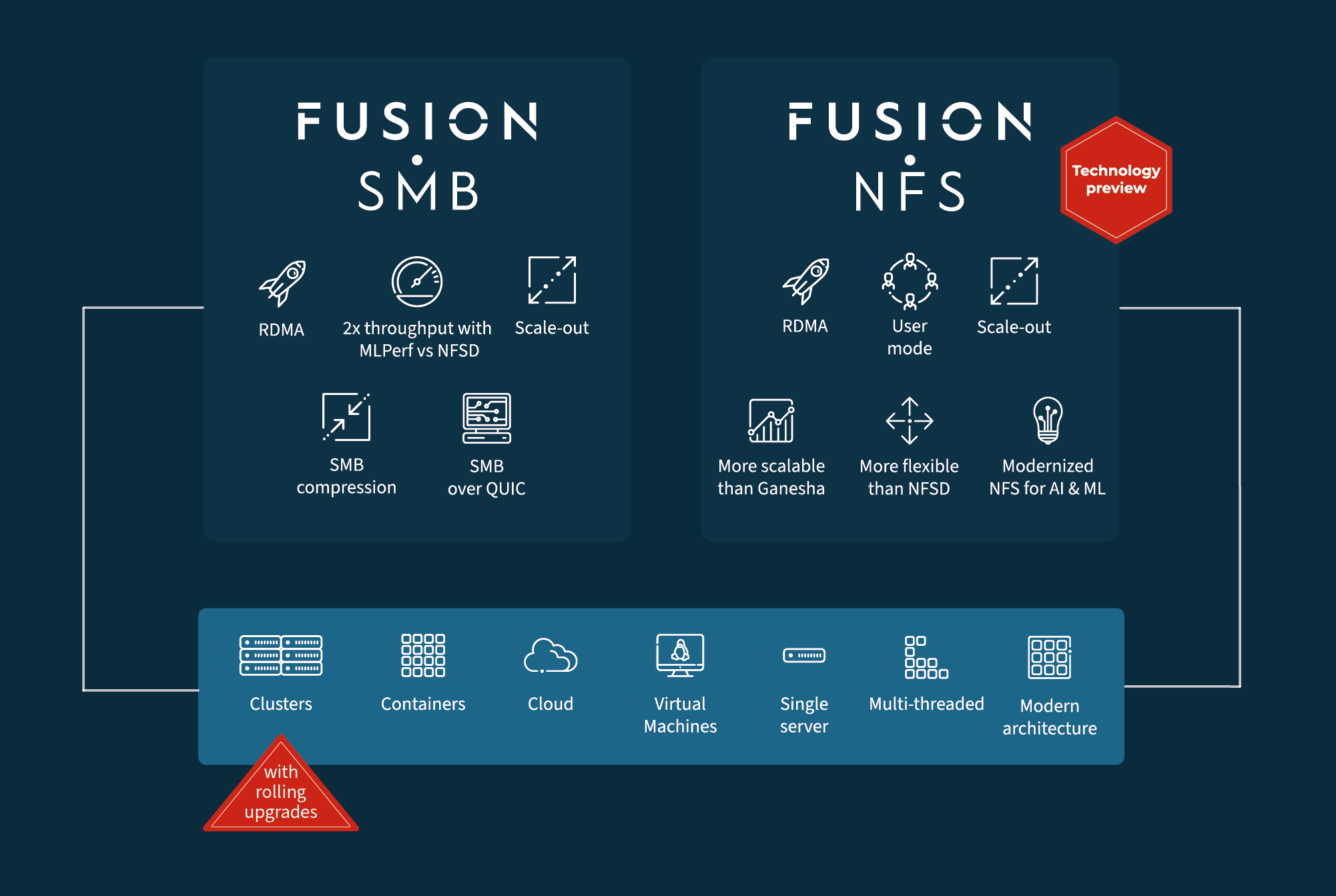
For nearly a decade, Tuxera has pioneered enterprise SMB for Linux with Fusion SMB. Fusion NFS will join the family, bringing four fundamental features. User Mode, RDMA, Scale-out and Cluster rolling upgrades. Alongside these features will be multi-protocol support, delivering lock and handle awareness with Windows ACL and NFS ACL central management.
Fusion NFS is built on the established base core of Fusion SMB and will share the same flexibility and proven multithreaded architecture.
From the ground up, Fusion NFS is engineered to be deployed in User Mode, meaning security is maintained.
You need safety and security. It means being able to run in a container, and be very flexible about your use case and not being inside the kernel itself. This is where anything going wrong places the server itself in jeopardy.
RDMA
Break through performance barriers with the fastest NFS server available for Linux, while running in user mode. Fusion NFS achieves speeds that other implementations simply can’t match—up to 22.7GB/Sec when using a single 200GbE network connection.
That means it’s faster than NFSD running in kernel mode and double the throughput of Ganesha
Scale out
Fusion NFS’s scale-out capability is built around active-active clustering, letting multiple Linux server nodes serve the same NFS shares concurrently while load-balancing clients across the cluster for near-linear performance growth as nodes are added.
This design supports everything from small containerized deployments to large storage clusters, enabling high client counts and fast parallel access with low CPU/memory overhead and no performance penalty from clustering.
Cluster Rolling Upgrade
Fusion NFS supports cluster rolling upgrades by leveraging its continuous-availability clustering design so you can update software one node at a time while the rest of the active-active (or active-passive) cluster keeps serving shares.
Because each node can independently host the NFS service and shares, clients are load-balanced and, when a node is taken out for upgrade, sessions and IO transparently fail over or reconnect using shared persistent state.
After the node is upgraded and passes health checks, it rejoins the cluster, and you proceed to the next node, allowing zero downtime upgrades.
Multi-protocol
Mismatched permission models in mixed Windows/UNIX environments can lead to data loss and security incidents. A single source of truth and robust mapping are crucial to prevent access issues and ensure consistent security across protocols.
Fusion NFS and Fusion SMB will bring access together, so no matter where the users are coming from, whether it be Windows or Linux or macOS, the data access is not problematic for the user.
Workflow should not be restricted by protocol.
User Mode
From the ground up, Fusion NFS is engineered to be deployed in User Mode, meaning security is maintained.
You need safety and security. It means being able to run in a container, and be very flexible about your use case and not being inside the kernel itself. This is where anything going wrong places the server itself in jeopardy.
RDMA
Break through performance barriers with the fastest NFS server available for Linux, while running in user mode. Fusion NFS achieves speeds that other implementations simply can’t match—up to 22.7GB/Sec when using a single 200GbE network connection.
That means it’s faster than NFSD running in kernel mode and double the throughput of Ganesha
Scale out
Fusion NFS’s scale-out capability is built around active-active clustering, letting multiple Linux server nodes serve the same NFS shares concurrently while load-balancing clients across the cluster for near-linear performance growth as nodes are added.
This design supports everything from small containerized deployments to large storage clusters, enabling high client counts and fast parallel access with low CPU/memory overhead and no performance penalty from clustering.
Cluster Rolling Upgrade
Fusion NFS supports cluster rolling upgrades by leveraging its continuous-availability clustering design so you can update software one node at a time while the rest of the active-active (or active-passive) cluster keeps serving shares.
Because each node can independently host the NFS service and shares, clients are load-balanced and, when a node is taken out for upgrade, sessions and IO transparently fail over or reconnect using shared persistent state.
After the node is upgraded and passes health checks, it rejoins the cluster, and you proceed to the next node, allowing zero downtime upgrades.
Multi-protocol
Mismatched permission models in mixed Windows/UNIX environments can lead to data loss and security incidents. A single source of truth and robust mapping are crucial to prevent access issues and ensure consistent security across protocols.
Fusion NFS and Fusion SMB will bring access together, so no matter where the users are coming from, whether it be Windows or Linux or macOS, the data access is not problematic for the user.
Workflow should not be restricted by protocol.
Frequently asked Questions
Why choose Fusion?
Get answers to the most commonly asked questions, or reach out if your question isn’t listed here.
For nearly a decade, Tuxera has produced Fusion SMB to deliver an enterprise-grade SMB server that replaces Windows Server and Samba, whether on-premises or in the cloud. Flexible, powerful and now the world’s most advanced SMB server for Linux.
We are now focusing on NFSD and Ganesha. We have identified a market need for an enterprise NFS to serve the AI, ML and HPC sectors. Fusion SMB features like RDMA, scale-out, and zero-downtime cluster rolling upgrades will be available with Fusion NFS, and most importantly, the protocols will allow access to the same data.
Do you need both SMB and NFS?
No, Fusion SMB or Fusion NFS can be run independently. However, both protocols are often required. Traditionally, only the largest storage vendors offered a true multi-protocol solution. This is where Tuxera Fusion demonstrates its strength.
Fusion SMB and Fusion NFS will work seamlessly together, delivering multi-protocol support for any Linux server wherever deployed. Linux, Windows and macOS clients will be able to connect with the protocol of their choice, and we will manage permissions and locking.
How fast is fast?
A fundamental aspect of NFS performance is the use of RDMA. With faster performance than NFSD over RDMA, or Ganesha over TCP (which does not support RDMA). We can deliver 22.7GB/sec compared to 22.5GB/sec for NFSD and 13.6GB/sec for Ganesha. (1x200GbE port)
Aggregate performance and high availability via scale-out will also be available from day one. When combined with rolling upgrades, this creates a true enterprise NFS solution that provides continuous ultra-high performance to connected systems.
Interested in Tuxera Fusion NFS?
Leave your contact details to receive early updates, product news, and insights as we continue to build and expand Fusion NFS.
Technical specifications
Detailed product specifications
Core platform & protocol support
Supports NFS 4.1
Supported on Intel, AMD, and ARM chipsets
User mode deployment
RDMA
Multi-protocol support: ACL, Shared access with Fusion SMB
Continuous availability – single, dual, or multi-node
Volume Shadow Copy Service (VSS) support
Distributed file system support
Dynamic configuration change
Integration & security
Supports standalone file systems such as ext4, XFS, and ZFS
Windows Active Directory Integration (join/authenticate Windows AD as domain member)
Authentication: Windows AD services (Kerberos), LDAP (Lightweight Directory Access), NTLM, file-based local user and group databases, and more
Custom clustering support
Supports distributed cluster file systems such as GPFS, Lustre, CephFS, GlusterFS, WekaFS, GFS2, OCFS2. Custom VFS module file system support is available.
Encryption: AES-256-CCM, AES-256-GCM
Log/audit support
Internal health monitoring
Runtime statistics
Quota support
Suggested content for:
Our products
Related products
Your mission-critical systems demand uncompromising reliability. Tuxera products mean absolute data integrity. We specialize in file systems, software flash controllers, and secure networking and connectivity solutions. We are the perfect fit for data-intensive, mission-critical workloads.
Using Tuxera’s time-proven solutions means that your data is safe and secure – always.
Proven success
Related success stories
Our solutions are trusted by major brands worldwide. When you need reliable, scalable, and lightening-fast data access and transfer across any system or device, Tuxera delivers. Our track record speaks for itself. We’ve been in this business for decades with a clear mission: to be the partner you can trust. Read on to find out more.
Industries
Related industries
From satellites to smart meters, our software protects critical data and ensures seamless connectivity wherever mission-critical systems operate.
Related pages and blog posts
Technical Articles
Datasheets & Specs
Whitepapers
No results found for
We couldn't find any matching results. Please try searching with different keywords or browse our popular tags below.
Related results:
Popular searches you might try:
Data Corruption
Functional Safety
RDMA
SMB Compression
File Systems
Automotive Ethernet
Transparent Failover
Data Platform Providers
Media Production
CRA